Showing posts with label Techy. Show all posts

Breaking News!

Aloha ē friends!

I'm not sure if this note is 100% necessary as I think I know what the issue is; however, I wanted to pick up any stragglers who may not have heard I've "moved" to WordPress until I square away my open source content manager project (can't complete it quick enough, but haven't had time - shoot me now!)


None of this should affect your feeds if you subscribe to JennsAdventures.com BUT it does affect your feeds if you've subscribed via BlogSpot (aka GFC?). Same goes for WordPress, so if you're not already 100% annoyed yet, please subscribe via URL or email:) This will actually make it easier for any future moves, too, so I suggest always subscribing to people's domain name/URL if they have it. Less work in situations like this!

Also, you'll notice I'm NOT updating embedded links in existing posts, so if you're a new friend, or just catching up on old posts on my WP formatted site, you'll be back at this lovely blog often! The reason for this insignificant move is because I'm fed up with Bloggers changes, plus, I'm still butt hurt about Google removing my blog way back when..even if it was for only 5 hours.

I'm not a huge fan of WordPress, either, but it will have to do until my upgrade:)

So, with out further adieu, Click Here to get to JennsAdventures.com, which is the current [WP version] of Jenn's Adventures!!

posted under | 1 Comments

Tech-y Tuesday | SKN's Class

Last week for Tech-y Tuesday I had the pleasure of skyping with my man's Mom and her students. She is a teacher in Alabama and has been teaching her students about blogging, while using my blog as a reference point. How cool is that!? ::blush::


The night before I had taken notes for myself, and while all topics are large enough to discuss individually, I wanted to touch on a little of everything for the students to reference, and ask [more] questions regarding blogging on this specific post.

It was our first skype session, and we kicked it off with Questions and Answers, which I thought was a great way to break the ice and warm up to the students. I hope everyone had as much fun as I did:)

I wanted to highlight and recap what we discussed and touch on the topics we ran out of time for. We hovered around these points of interest:

1) Why I like to blog
2) What makes for a good blog
3) What blogging isn't


First and foremost I love to blog because I love to write. I also love sharing knowledge with people, connecting with people, and developing friendships with people I otherwise never would have crossed paths with.

It truly is incredible how amazing the blogging community is, and you may not even realize it until you're inundated with support--and once you're in it--you never want to leave. In fact, you end up feeling bad or guilty when you don't post or comment on your blogger friends posts because you feel as if you're letting them down. But you're not, really, because everyone knows life happens;)

Good blogs make you want to start your own blog. If you decide that blogging is something you want to get into, take notes from the blogs you love and consider the following:

Layout, Color, & Font. Just like your desk or kitchen, you should keep it clean and avoid messy or hard to read templates/designs. Make sure your color combinations and font/text type compliment each other and are legible, easy to read is key.


Add Pages. In addition to your default "home" tab, I think it is very important for bloggers to at least add an "About" and a "Contact" page.
a) The about page is important because when new visitors land on your blog they want to know more about the author behind the blog. Sometimes people won't stick around if the blogger didn't take the time to compose an about section.
b) The contact page is also important because in my opinion there is nothing more frustrating than a blog mimicking Fort Knox. Post your email address in a conspicuous spot or dedicate a contact page to it for easy reference for all your methods of contact, such as: facebook, twitter, instagram, pinterest, etc. Create a specific blog email address via hotmail, yahoo, gmail etc. if you don't want people knowing your everyday email address -- they're free!

Content. Quality of posts is crucial, particularly if you want to gain a readership. To the best of your ability use proper grammar and paragraphing, include appropriate photos to make it easier on the eyes, and create your tone--or voice.

The content on your blog will reflect you, and there isn't anything scarier than landing on a blog where there is an essay long post, no photos, and ::gasp:: grammatical errors. Remember, if a post gets to be too long (like this one!) you can easily break it up into a Part I, Part II, Part III, and so on. Also? The best invention ever is spellcheck--use it;)

Comments. Comment content is a big deal in my opinion. The comments on a blog reflect the blog, so take that into consideration when making a comment, replying to a comment, &/or approving a comment. I've discovered there is this unspoken common courtesy in the blogosphere that when another blogger comments on his or her blog, they will return the favor. This isn't always the case, but I would strongly suggest getting out in the blogosphere and composing quality comments on fellow bloggers to help grow your exposure and get your foot in the door to a blogging community.

Citing References/Sources. As I transition into sharing more health related topics and whistle-blowing revelations, I find it extremely important to include my sources. Without complicating a post too much, remember to cite your references--it compliments your efforts for credibility, and your readers will respect that. Here is an example of how I have cited references within a post. While I'm not citing my sources in an APA-format, it's close enough and gets the job done. At least aim for that!

*I stamp/copyright my own images OTHERWISE they are found via google. Currently, I edit my photos with PicMonkey.

A blog won't write itself. Writing comes more easily if you have something to say... and a couple things to keep in mind is that a blog is not your secret diary -- do not publish anything you may regret. Once something is put on the internet, it's there forever -- even if you delete it. Think about it.

My best advice at the moment is to determine your passions, write, and don't stop writing. Be true to yourself, strive to grow, and your audience will come.

How about a recap or our recap?
  • Design a blog that reflects you, while creating an environment visitors will want to stay awhile--and return.
  • Compose meaningful content in all your posts, comments, and replies. Make people want to read your blog and look forward to your next post. Remember not to publish anything you might regret later -- save those entries for your actual journal. 
  • Follow blogs you like, and follow the lead of successful blogs. 
  • Engage/connect with others. Consider the unspoken common courtesy in the blogosphere (return the comment love, follow, and support each other).
  • Keep at it -- your blog won't write itself and as long as you have something to say writing will come naturally. Be yourself and blog for yourself, and people will respect and enjoy your honesty.      
There are several things I could continue to add to this list, but perhaps I'll save that for another day:) I invite you to add your two cents &/or questions in a comment below, though! Don't be shy...

Fellow Bloggers, what other great tips for blogging are there? 
Students, what other questions do you have regarding Blogging? 


posted under | 3 Comments

Tech-y Tuesday | Who Owns Your Blog?

On Sunday, April 1st, I would have bet money Blogger/Google was playing an April Fool's joke on me.


I mean this had to be a joke, right?


In the wee hours of the night (party animal right here, folks!) I found myself scouring the blogosphere (attempting to compensate for my absence from reading and commenting on your blogs lately) with the sole purpose of catching up and commenting my heart out, only to be greeted with the photo above.

Needless to say, my commenting quest was quickly brought to an end, and the only way to immediately remedy the odd and out of the blue issue was to comply with the request of this photo:


Instantly an article I read several months back (warning me about this) came flooding into my memory bank and I had to write this post. Unfortunately, I discovered this catastrophe around or shortly after 1AM, so I was spinning in exhaustion trying to determine a quick fix.

I immediately resurrected my WordPress blog where Jenn's Adventures was born, but heartbreak sank in as I realized the last time I exported my blog content was back in February, thus any material after that--including blogs I follow via Google Reader would be lost. 

Feeling defeated, I turned to facebook so I could share the mishap and attempt to explain the technical difficulty of anyone attempting to visit my website:


While I am officially breaking up with Blogger, I don't feel that WordPress is the replacement answer. In fact, it wouldn't be worth the headache nor would it fix the problem because Blogger and WordPress share the same flaws: They Own Users Content and can therefore do what they want, when they want (IE: deactivate site).


In my fit of fury I quickly developed a new temporary website/coverpage bashing Google and this situation, but minutes before I was going to revise my Go Daddy settings and publish it, I received an email from The Google Team. They told me the issue had been resolved, which I am grateful for, for several reasons:

1) This inconvenient issue was rectified within a few hours.
2) This inconvenient issue happened during the wee hours of the night aka "off hours"
3) I can access my account now and export my most current content including scheduled and drafted posts.
4) I can attempt to rally all the blogs I follow and transfer URL's to Linky Follower <-- Makes me appreciate this Google Reader Alternative even more!
5) I can bid this place a f*%&ing Adieu

Truth be told; Dane says it best:


This is a long hilarious skit, but the part I'm specifically referring to is at 5:00 - 5:14 (Courtesy Warning: Dane drops the F bomb)

Moving forward, the question isn't which blogging platform should I use? The question is whom am I more comfortable owning my blog?

If I use Blogger OR WordPress, they own my blood, sweat, and tears connected to my blog. Have you read Bloggers Terms of Service and their Content Policy? How about the WordPress Terms of Service. Not a fan!

After talking with my boyfriend we decided the only way to accommodate my needs, and therefore best available option is to cut out as many middlemen as possible.

So what are we scheming?

The original plan was to prep the server he built awhile back with [more] quality components to accommodate numerous websites, load times and page views efficiently. However, after talking with a few people about the idea, it’s apparent that simply will not work at this time.

My man is a huge Linux fan and swears I will love it one day, too. I’m definitely intrigued with open source systems and content management though, so why wouldn't I love Linux, right? So that is the answer to this conundrum: get comfortable with OSS, then get my domain hosted.

In the mean time I will be strategizing my final goodbye with Blogger to alleviate as much headache as possible while learning as much and as fast as I can about open source systems and packages. Who knows if the change will even be noticeable, but I wanted to share [our] latest project and will continue to post progress updates for those who might be interested in this sort of series.

My risky plan for now is to continue blogging here until the official departure--but not without daily exporting my content! I can't hardly wait to rip the Band-Aid off, but not until it's absolutely ready.

Questions!

What are your thoughts regarding above? 
Were you aware of the Blogger & Wordpress Terms of Service and their power over your blog?
Are you familiar with OSS?
Has this happened to you before?
If so, what was your resolution? 

I was naively unaware of either Terms of Service until I randomly came across an article a few months back explaining the reality and risk of blogging via certain platforms, such as Blogger, WordPress, or Tumblr (let it also be known facebook owns all our content as well). I suppose I disregarded the warning from the article I read thinking "that will never happen to me!" and was still completely blind-sided. I have never felt so helpless and so frustrated not having control over something that was legitimately mine. This experience very much reminded me of SOPA/PIPA and the very reason we can never allow congress to pass such a bogus Bill infringing on our Rights. I think taking matters into my own hands (literally hosting our own websites in the future and building our own "blogging" platform) is the best decision. The only third-party involved would then be the company I registered my domain through. It's good to have goals;)  


Did anyone get April Fooled? 

------------ 
If you are a reader and haven't yet followed me via Linky Follower located on the top right of my Blog's Sidebar, what are you waiting for?! Now is the time to join the party, and leave me a comment while you're at it--I won't bite!

posted under | 11 Comments

Tech-y Tuesday | Linky Followers

Better late than never, right?!


Let's talk about LINKY FOLLOWERS.

Now that we are all aware and understand Google Friend Connect (GFC) will get the boot from google for all non-blogspot bloggers beginning March 1st, 2012, AND that it is rumored to disappear indefinitely for everyone else by the end of this year (if you're confused, read this) this has hopefully sparked your interest to seek other venues to not only accomodate your readers, but blogs you follow as well.

I ran across Linky Follower while investigating the GFC drama, and really like the beta features. This widget was literally just launched and I'm sure has growing pains already, but I really like what I see. In fact, I think it's the best thing available.

Click to view larger
First and foremost you should know you do not have to have a blog to follow blogs via Linky Follower. You do however have to sign up to create an account, but it's free. Yes, it's another thing you have to sign up for, and perhaps another username and password you have to remember - but it will be worth it if you follow more than one blog.

It has similar features as Google Reader, although I wouldn't know since I don't use mine, but maybe you do! Here's a picture for a better explanation:

Click to view larger
I prefer to visit the blogs I follow directly, but you don't have to using Linky Follower. Simply scroll through your list of blogs you are following, click on which ever blog you want to catch up on and BOOM.

The icing on the cake for me is the clear as day tab letting you know who I am following and who is following me. Not only is the "Your Followers" tab imperative for me when hosting giveaways, but if you're following me, I want to follow you, too!

Click to view larger
So why the write up? I really like LINKY FOLLOWER, and I want you to like it, too! Over the last week I have noticed more bloggers are signing up, which makes me so happy since I plan on phasing out my Google Friend Connect (GFC) widget quickly since it's useless.

If you have Linky Follower, please let me know in a comment so I can follow you!

Don't forget to enter my Fashletics Giveaway!


------------
If you are a reader and haven't yet followed me via Google Friend Connect located on the top right of my Blog's Sidebar, what are you waiting for?! Now is the time to join the party, and leave me a comment while you're at it--I won't bite!

posted under | 3 Comments

Tech-y Tuesday | Google Friend Connect


Today I want to discuss Google Friend Connect. You know -- that little widget basically every Blogger has and enjoys watching the number grow..,

Yeah, this!
Anyway, I caught wind this widget would be retiring on March 1st, 2012 (which is right around the corner). I thought I better do a little research of my own, and was disappointed with the lack of information available! C'mon Google Blogger, get it together. Where's the formal notice?

I quickly learned the widget was retiring for non-blogger/blogspot users only (aka wordpress users); however, blogger/blogspot users should note any non-blogger/blogspot users you follow will disappear if you followed them via GFC. I think you're safe if you manually added them to your reader list, but I'm not 100%.

Another thing blogger/blogspot users should note is that it was revealed through further research this widget will most likely become obsolete by the end of this year for us as well. All good things must come to an end, right?

WRONG!

While GFC is a great way to boost your ego and earn blogger clout -- it is really useless! Managing it isn't even an option, and more times than not it fails to even work properly. I say good riddance!

Enter Linky Follower:


This widget is the talk of town. Rightfully so in my opinion from what I have discovered so far. I just signed up (it's free) and can already tell it is a million times better than GFC merely because of the ability to manage your followers. Not only will I be able to easily follow subscribers back (if they have a blog), but confirming a "follower" for a giveaway will no longer be a nightmare! Plus, the concept hasn't changed, so we can still have our ego stroked with each new follower! ;)

I'm going to save the details of Linky Followers for another Tech-y Tuesday post, but if you notice --------------------------------------------------------------------> I did add the widget to my website, so please "follow me" via this widget as I will slowly begin to phase out GFC.

There are several ways to keep up with my adventures though, so if you're already set with one or all of the following, don't sweat!

Subscribe via Email!

Follow via RSS

"Like" Jenn's Adventures on Facebook

Tweet with me on Twitter

Work out with me on Daily Mile

Pin with me on Pinterest

We can Instagram together, too!

Did I leave any out?!

I hope we are already connected in one or all of those social media's -- if not, what are you waiting for?!


What can you add to this post?
Did you know about GFC retiring?
Are you or do you plan on signing up with Linky Followers?
Did you know you can send out a "newsletter" to GFC members?
Are you affected by this change AT ALL?!

------------
If you are a reader and haven't yet followed me via Linky Followers located on the top right of my Blog's Sidebar, what are you waiting for?! Now is the time to join the party, and leave me a comment while you're at it--I won't bite!

posted under | 4 Comments

Tech-y Tuesday | Blog Updates

It has been Spring Cleaning on my website the last few days -- have you noticed the changes? While a lot of bloggers have been revamping his or her blog as of late, I thought I would start small with just a quick clean up.

If you look at the top (middle) right, you will notice a few new pages: Giveaways, Awards & Affiliations, and Disclaimer

Instead of having ALL of these things paraded on my homepage, I have designated areas for better viewing. Hopefully now my website it less chaotic for those who didn't know where to look first! :)

Giveaways:
This should be everyone's go-to-page to see what amazing giveaways I am hosting, know about, or have entered myself. This is also a page where you can add/link up a giveaway of your own, or one you entered and want to share the love with others. Check it out:)

Awards & Affiliations:
This page is where all my fun awards I have won are posted. Each award is linked to my original post where you can either learn more about me, find other bloggers you should be following as well as play along -- consider yourself officially tagged if you have never received any of the awards posted!

The Affiliations listed are all the fun social networks I am part of. Each image is linked to learn more about what they offer and why you may want to be part of the network as well!

Disclaimer:  
Do you need a blog disclaimer? Probably not, since you are most likely hosted via Blogspot or WordPress and have a blanket protection; however, it doesn't hurt to have it if you consistently discuss touch-y topics.

Most of my posts have been about my Adventures, thus not exactly applicable; however the legal side of me found it necessary to add this page particularly for the future posts I plan on publishing. While it is packed with relevant information, I included some fun, too, so check it out and by all means use as a reference if you feel you need a disclaimer as well.

You may have noticed that I am officially part of the Healthy Living Community Wellsphere. I am actually really excited about this because one of my goals this year is to share more and more of my passion for nutrition and overall healthy living. Are you part of this community, too? If you are--let's be friends!

Buttons:
Do you have a button for your blog? I do! Some people do not understand or care about these buttons, but I have a background in PR and marketing so I strongly suggest "branding" your blog for exposure and recognition! If you need help, it's super easy--read this, or simply email me!

That being said...

Blog Buddies:
If you have a blog button, we should swap buttons! You grab mine and I'll grab yours.. ;)


Fitness Blog
FitBlogger:
I am excited to share that I am now part of the Fit Blogger Community and will be a Featured Blogger on March 2, 2012!! I look forward to hopefully growing my readership and reaching more people as I share more pertinent information about health and nutrition. Part of my passion for nutrition is to expose or blow the whistle on otherwise unknown facts we may never have known the truth about (I.E. this post).


Spencer's Market:
I am also a HUGE fan of Spencer's Market. In fact, I wrote about it in detail here, and you can--and should--sign up for it here! I have scored some amazing finds for sweet deals I otherwise would not have known about. You can specify your food preferences and look forward to exclusive offers anytime you log in. It has truly made my transition from carnivore to herbivore that much easier.


Did you celebrate Valentine's Day?
My Daddy surprised me with beautiful roses:)

What did you on Valentine's Day?
I basically played in the kitchen all day perfecting recipes:)


------------
If you are a reader and haven't yet followed me via Google Friend Connect located on the top right of my Blog's Sidebar, what are you waiting for?! Now is the time to join the party, and leave me a comment while you're at it--I won't bite!

posted under , | 14 Comments

Techy Tuesday | Questions


It has been awhile since I have had time to actually sit down and compose a Tech-y Tuesday post -- but they really are one of my favorite posts to write! You can catch up on previous Tech-y Tuesday posts by clicking here, or check out these specific posts:

Hosting Your Domain
Blog Comments
Blog Buttons

What I was hoping to do today is pick your brain. I would like to find out from you what Tech-y questions you have had or currently have. If you are drawing a blank (like me) what tech-y questions do you think most people have or wish they knew more about? Tell me everything!


Also, don't forget about my YMX Review & Giveaway! 


a Rafflecopter giveaway


------------
If you are a reader and haven't yet followed me via Google Friend Connect located on the top right of my Blog's Sidebar, what are you waiting for?! Now is the time to join the party, and leave me a comment while you're at it--I won't bite!


posted under | 4 Comments

Blackout Day (SOPA/PIPA)

Raise your hand if you noticed the Internet Strike yesterday... 

How many of you have actually heard of (and understand) Stop Online Piracy Act (SOPA) and Protect IP Act (PIPA)???

Please watch this short video:


Hopefully now you have a better understanding of how big of a deal this is. This legislation will stifle free speech and innovation, and even threaten popular web services like Twitter, YouTube, and Facebook. Congress needs to hear from you, or this bill will pass! Click Here to sign the petition and stand up for your freedom. 

Can you imagine a world where our internet is censored by our government? 

Thomas Jefferson said, “A government big enough to give you everything you want, is big enough to take away everything you have.”

Here are a few screen shots of big name companies, organizations, and websites alike standing up for our freedom by going dark yesterday:

Google

Craigslist


Natural News

Wikipedia

C NET

Wordpress

Mozilla | Firefox

Pinterest!

Wired

XKCD

In addition to the above websites, several bloggers (including myself!) shut down their website(s) to make a point and more importantly, spread the word about the importance of what this Bill really translates.

Say NO to SOPA
If you ever wanted to make a difference, now is the time -- Sign the petition, don't allow this bill to pass..

PS: Reports are saying Senators are bailing on SOPA, taking their names off the Bill. This being said, the Internet protest was successful; HOWEVER, we all need to keep the pressure going by signing the petition/writing letters, and spreading the word. You can read more about this here.

Approaching Monday's crucial Senate vote there are now 35 Senators publicly opposing #PIPA. Last week there were 5. And it just takes just 41 solid "no" votes to permanently stall PIPA (and #SOPA) in the Senate... If you haven't already, click here and sign the petition... Spread the word!! These are critical days!

Don't forget:

To celebrate the new year, the Rafflecopter team is going to give away a 16GB Apple iPad2 and several Kindle Fires. The giveaway started Monday 1/9 at 12:01 a.m. and lasts for a month. To enter, simply tell Rafflecopter who referred you to this giveaway! (That'd be ME! ;) You can receive additional entries by tweeting about this giveaway, following Rafflecopter on twitter, and giving them feedback as well... Simply use the widget below:

a Rafflecopter giveaway


-------
If you are a reader and haven't yet followed me via Google Friend Connect located on the top right of my Blog's Sidebar, what are you waiting for?! Now is the time to join the party, and leave me a comment while you're at it--I won't bite!

posted under , | 3 Comments

Tech-y Tuesday | Blog Buttons


First and foremost, I cannot even begin this post with out pointing out something I noticed yesterday -- If you blog via Blogger, tell me this is new!! Tell me I'm not just noticing this long and over-due easy-peasy option for our links!!


I used to have to swap to "Edit HTML" mode and manually type out a long and tedious code to have this option, and now all I have to do is check a box -- to tell you I'm stoked is such an understatement! 

Okay, moving on to the topic at hand: Blog Buttons! As I've mentioned before, if you have a blog and invest your time into it (ie: care enough to pimp it out and publish blog posts on a consistant basis) then you should not only have your own custom domain, but you should also have a Button/Badge!

I do -- check it out!


Creating Blog Buttons/Badges is beyond easy, and I believe anyone can do it. All you need are three things: A photo, a picnik account, and a photobucket account -- all of which should be FREE, and I like free!

I honestly think the hardest part is determining a photo. Once you decide on a photo, edit it the way you want your button to look and save the image at 200 -- only because you want your button to fit in the average bloggers sidebar. Some might advise 125, but seriously, that is flippin' small, and resizing is an easy fix down the road if you ever need to accomodate such a change.

Let's do it together; I'll make another button with you.

So let's pick our photo:

I pick this one because... 
..I think everyone knows I'm Starbucks biggest fan, so I find this photo to be pretty fitting for a button, don't you?

Now let's upload our image to picnik and edit accordingly...

This is what I came up with:


When you save the image, remember to change the SIZE of the image to 200. Save it to your desktop, "Blog Folder," or wherever, and then upload your newly edited photo to your photobucket account.

Now comes the fun part... Adding your button to your blog.

If you use Blogger for example, click on your "Design" tab. Add the HTML/Java widget and copy/paste the following code:

<a border="0" href="YourWebsiteURL" target="_blank"><img src="YourButtonImageURL" /></a>

<textarea rows="4" cols="20"> border="0" href="YourWebsiteURL" target="_blank"img src="YourButtonImageURL"/ </textarea>


Get the "Direct Link" for your image from photobucket, and fill in the above highlighted areas accordingly (including your blog's URL--which should be a short, and easy to remember customized domain; tsk, tsk).

In the title area of your widget, put something like, "Grab My Button!" if you want, and click save. When the box closes, make sure you drag and drop the widget where you want it on your blog if it isn't there already, and click save again in the design area.

Preview your blog, make sure it's perfect-o, and BOOM, new blog button!


Easy, right?!

I told you!

Now let me see yours--I showed you mine!! ;)

Do you have a blog button?
Want to Swap Blog Buttons?
Why don't you have a blog button?
Do you plan on creating a blog button now?
Were these instructions even helpful?

[Have you Entered my Rafflecopter Giveaway yet?! Click Here!]

-------
If you are a reader and haven't yet followed me via Google Friend Connect located on the top right of my Blog's Sidebar, what are you waiting for?! Now is the time to join the party, and leave me a comment while you're at it--I won't bite!


posted under | 18 Comments

Rafflecopter Invite GIVEAWAY!

Friends, you're about to have your world ROCKED.

Are you ready? Because I have literally been busting from the seams to share this with you!

If you haven't figured it out by now, GIVEAWAYS are a huge part of the blogosphere. We are addicted to them, aren't we? We love hosting them, and we sure as heck enjoy participating in them--because let's be honest--who doesn't enjoy winning free stuff?

And since we're being honest here, I don't know exactly how I find all of you amazing bloggers, but the important thing is, I FIND YOU. Earlier this month I ran across one your blogs and entered your fabulous giveaway (I didn't win; however in the end..I think I did!). You see, this blogger utilized this genius invention...


And I absolutely freaked the eff out! Entering this giveaway was not only PAINLESS easy, it took less than two minutes to complete everything. I didn't have to scroll down a million entries to find the "comment box" or type in the million things I completed manually AND SEPARATELY! Plus, my newest favorite annoyance.. I didn't get slowed down by "posting too quickly" hahaha!!

Because I'm quick, I immediately figured out this blogger didn't have to go through the hoops and loops of determining a legit winner, either. This lucky blogger didn't even have to go through each and every comment/entry to verify the participants did in fact do this or that, simply because of this GENIUS INVENTION. Rafflecopter rallies everything automatically. Are you kidding me? What else?! Let me tell you-- it then utilizes Random.org to determine the winner(s). Simply amazing. Sign me up.

All kinds of excited I immediately headed over to Rafflecopter's website only to have my heart nearly break. I read those dreaded words... Invitation Only. There's a party going on, and I wasn't invited! I typed in my information to get signed up on the waiting list and raved about it on Twitter. I kid you not, with in 24-hours I receive an friendly tweet and email from my new best friend, Greg, inviting me to Rafflecopter! Who's the luckiest and happiest girl on Maui?! This girl. 

Ever since that day -- almost a month now -- I've been trying to figure out a giveaway. Why is this so hard? I'm from Maui... surely people "enjoying" snow pre-Halloween would enjoy anything from Maui, right? Well friends thanks to Greg and his genius friends behind Rafflecopter, I will be hosting LOTS of giveaways merely because they have made it so darn easy.

And you know what?

You can too...

Three of you will win a special Invitation to Rafflecopter and can also utilize this amazingly convenient giveaway tool that makes everyone happy. Who's excited!?


So what are you waiting for!! Enter for your chance to win your own Rafflecopter widget!! I would also suggest visiting their website and getting yourself signed up on their wait list -- Greg said they are giving out invite codes everyday!

Notes: If you "Like" Rafflecopter on Facebook -- Please let them know Jenn's Adventures sent you:)

All giveaway entries will be recorded in the Rafflecopter system above, not via comments.
[Should you have any issues navigating the entries, please email me!]

Giveaway Ends November 4th, 2011 @ 12:01AM EST

***

P.S. Interested in hosting a giveaway here on Jenn's Adventures? I'd love to have you! Email me :)

Good Luck!

Has this not completely changed your world?!
Are you as stoked as me Rafflecopter exists?!
Don't you want EVERY BLOGGER to use Rafflecopter for giveaways now?! 


In other news... *UPDATED!*


Plum district is having a killer deal for Erin Condren Merch! I shared with you a nice deal yesterday; however, found an even better one today. Sign up (with a new email if you're already a member) with Plum District by clicking here to receive your automatic $5 Plum Bucks (enter promo code spooky30). Then find the Erin Condren $25 Voucher offer (Check other Districts if you can't find it in yours; i.e. Miami) and click "Make it Mine." Make sure to use promotion code: spooky30 + your plum bucks to reduce your cost for the voucher ($25 voucher - 30% off - $5 plum bucks = $12.50 voucher!) prior to cashing out.

Once you have your Plum District Voucher for $50 (that cost you $12.50) worth of Erin Condren loot, head on over to her website ErinCondren.com and save some serious dough. Once you're ready to cash out, remember to redeem your $50 Plum District Voucher AND add the promo code welcome10 to take off an additional $10.

I helped my friend with her order, and her grand total was $2.50 -- for an Erin Condren personalized Life Planner!! RIDIC--I know!! Now go get yours! Offer ends 10/31.


--------------------
If you are a reader and haven't yet followed me via Google Friend Connect located on the top right of my Blog's Sidebar, now would be a great time to join the party!


posted under , , | 6 Comments

Techy Tuesday | Comment Tips


This post is long over-due and has been inspired by the several blogs I love and follow. I wanted to share a few tips I think everyone could benefit from regarding comments...

Let's start with what I consider, the most important:

Click to view larger
Edit your email settings! If you use blogger for example, click the box that says "show my email address" so I can reply to your comment. If this box is not checked in your settings, the notification I receive via email says "noreply-comment@blogger.com" and [insert sad face] I can't respond to your comment! I go out of my way to track down your email address (visit your blog, view your profile, etc.), and some people hide it like it's their social security number! My last resort is to respond on my blog because I don't have the "reply to" embedded in my comment code (yet), otherwise I'll try to remember by including my response in my next comment to you on one of your posts.

Also, remember, not everyone "subscribes" to comments when they leave you a comment (some posts get a RIDIC amount of comments resulting in a RIDIC amount of emails, other times people don't know or just forget) therefore replying via commenting on your own blog doesn't always get to that person, which is why responding to a commenter via email is in my opinion, the best way to communicate. Make sense?

Speaking of comments...

Click to view larger
I strongly suggest editing your commenting settings. Again, if you are using blogger, editing your commenting settings (if it's not already) to "embedded below post" is the best option. I don't know about other bloggers, but not only do I enjoy (easily) reading other people's comments on a post, I like to scroll through the post in its entirety while composing my comment to cover everything. However, when the comment setting is set to "full page" I can't do that--at least not with out extra effort on my part. The next best setting other than "embedded below post" is "pop-up window" because at least I can still see and scroll the original post--but, I still don't favor this setting merely because the tiny box hinders my enjoyment of reading the subsequent comments. I'm lazy--I know.


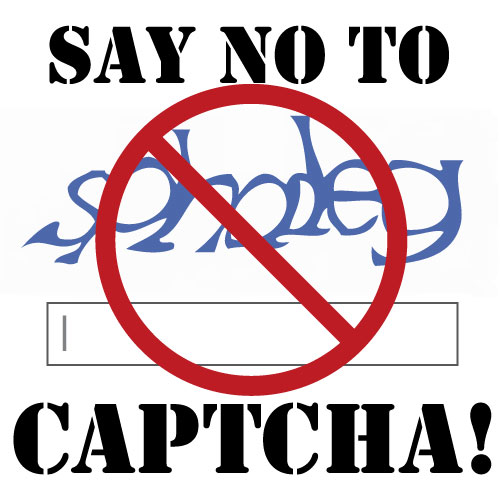
In my defense, I follow a lot of blogs--and I plan on following even more. I usually open posts in new windows and read/comment accordingly. As soon as I submit my comment I instinctually "X" out the page and I can't even begin to add up all the comments I've lost because of CAPTCHA. Usually because as I'm "Xing" out the page I notice the CAPTCHA gotchya and...oops! There is goes--and off I go:(

When I first started my blog I was apprehensive of spammers, so I of course had everything on lock-down, adding CAPTCHA where ever I could. I soon realized it was an over-kill and was preventing a lot of potential community interaction. 

Now that I'm reading a lot more blogs--I get it. Making the comment process painless quick and easy for people, the better. I truly want to comment on everyone's posts to show that I support them--and the darn CAPTCHA's are slowing me down! Don't even get me started on giveaway posts with CAPTCHA's -- that turns into a 10+ minute debacle on some blogs!! I understand everyone's concern regarding spam comments--but I've yet to get any, and I doubt you will!

Another less-than-favorable setting is...

Click to view larger
My comment has been saved?! Wha-whaaat?! Bummer dude. I already forgot what I wrote! Honestly, there is nothing worse than running into ALL THE ABOVE, only to question whether your comment made it through and/or what it even said--especially those giveaway posts! Sure I just wrote the comment, but I also just looked at my cell phone to check the time and had to look again because I already forgot! You can't proof-read your facebook comments, so who cares about your blog comments? You receive the notification of the comment(s) the second they are submitted (if you don't...you should change that setting, too!) so essentially you still see them before everyone else. I don't ever plan on deleting comments (even "bad" ones) so there probably aren't any I wouldn't "approve" either.

Fact is people like to read and make comments easily, see them instantly, and be able to reply to them. If your blog is set to any of the above mentioned perhaps you could consider changing your settings, maybe even try the suggests out for awhile? If not--no biggie--these are just my opinions and suggestions based on my experience:)

What are your thoughts regarding these tips?
Do you have any comment tips to add?

PS: If you haven't already, check out Lili and Mae's Parisian Giveaway -- Ends when she reaches 100+ followers and I think I'm going to do a similar giveaway -- Hawaiian Style;)
--------
If you are a reader and haven't yet followed me via Google Friend Connect located on the top right of my Blog's Sidebar, please do so! Following, Subscribing, or commenting on my Blog is the biggest compliment you can give!


posted under | 13 Comments
Older Posts Home

This place is all about Jennʻs Adventures: a Maui Girl who has evolved in to the modern day female nomad! Departing from her home in 2005 until the beginning of 2011, only the leave again less than a year later. Follow Jenn's Adventures in life, healthy living, travel, and love. To learn even more about Jennʻs Adventures, read this! Thanks for stopping by, please stay awhile & say ALOHA!

past adventures!


mis·cel·la·ne·ous

[mis-uh-ley-nee-uhs]
–adjective


Fitness Blog
***